You arrive with 15,000 photos from a sports event.
You leave with the 12,000 good ones.
The new version checks focus, framing and exposure on your Mac, shows a verdict photo by photo as it works, and delivers only what holds up. No cloud, no subscription.
No credit card · 15,000 photos included in the trial
10h
culling by hand
15min
with Selekto Pro
From card to delivery
Four steps. An afternoon saved.
These are real screens from the app — not mockups. Scroll through one event from start to finish.
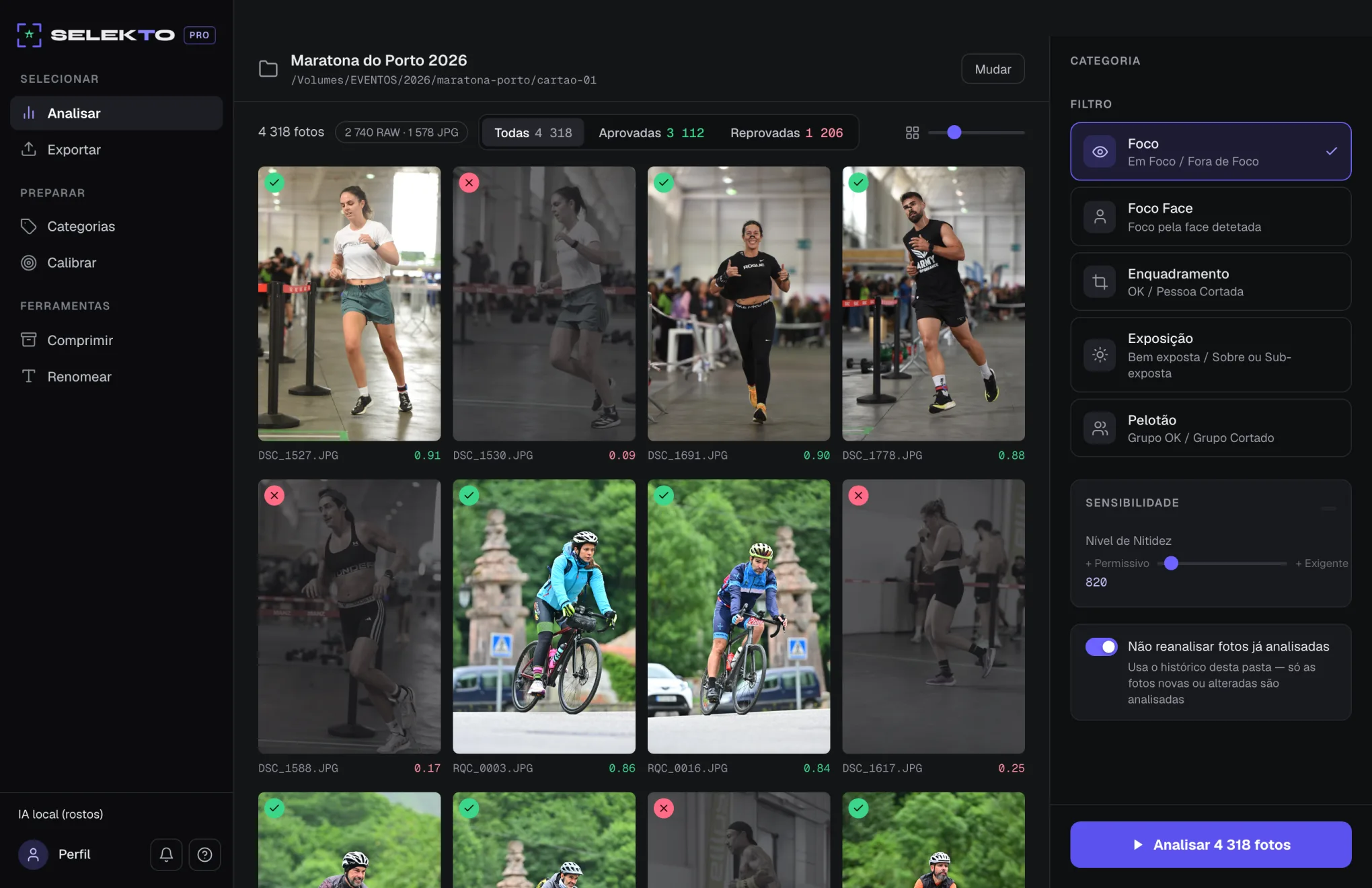
Pick the folder. It counts everything.
Drop the card in and Selekto reads the whole folder — RAW and JPG mixed, subfolders included. You choose which filters run and how strict they are. Nothing leaves your machine.
15,000 photos · 9,500 RAW · 5,500 JPG
Watch the verdict appear.
No more staring at a progress bar with no idea what is coming. Every photo gets its badge and score the moment it is analyzed — if your threshold is off, you know in thirty seconds, not in an hour.
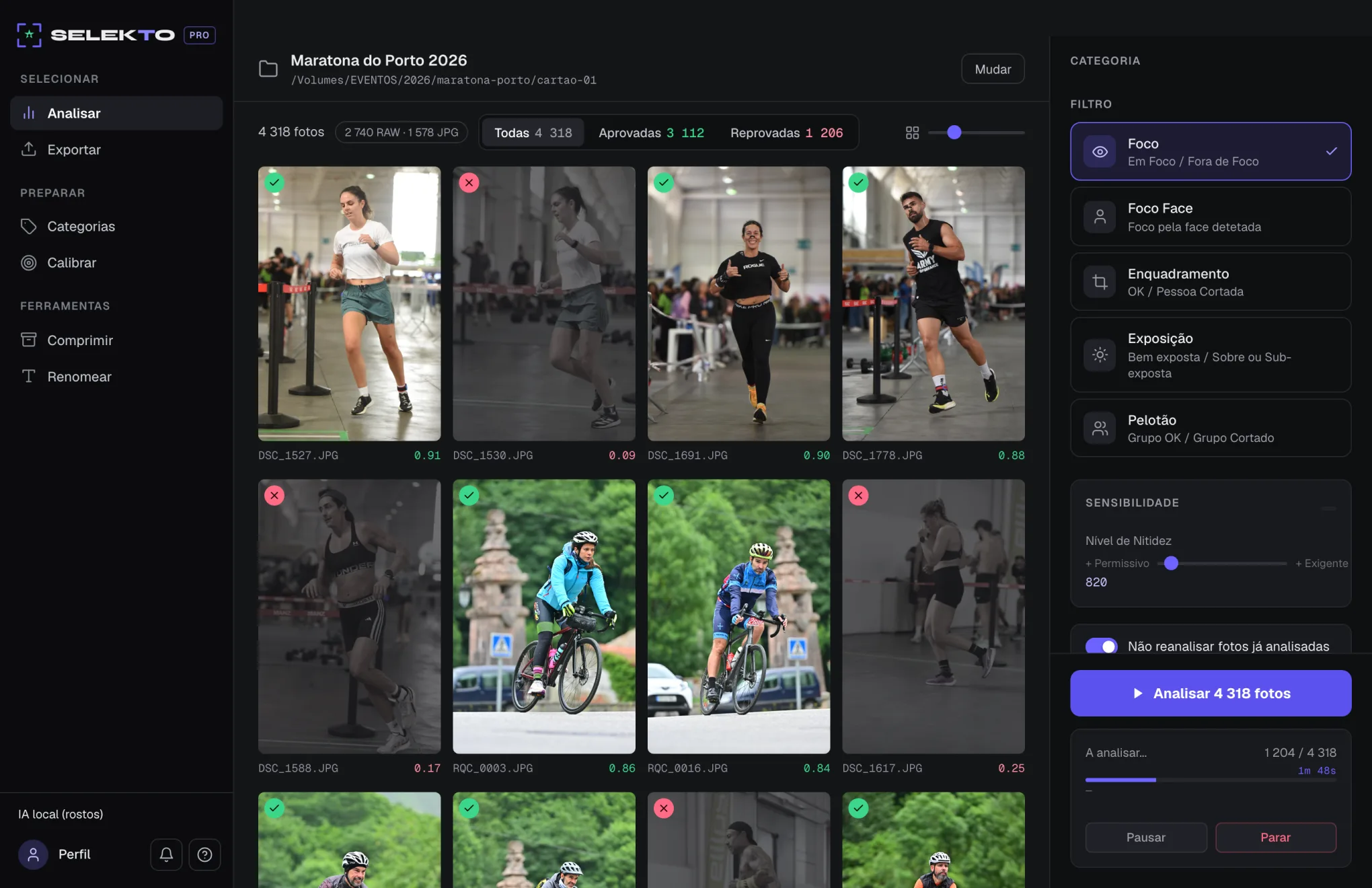
Per-photo verdict and score, live
The last word is yours.
Open the loupe and go through photos one by one, full screen. P approves, X rejects, arrows move on. Anything you change by hand sticks — the machine suggests, you decide.
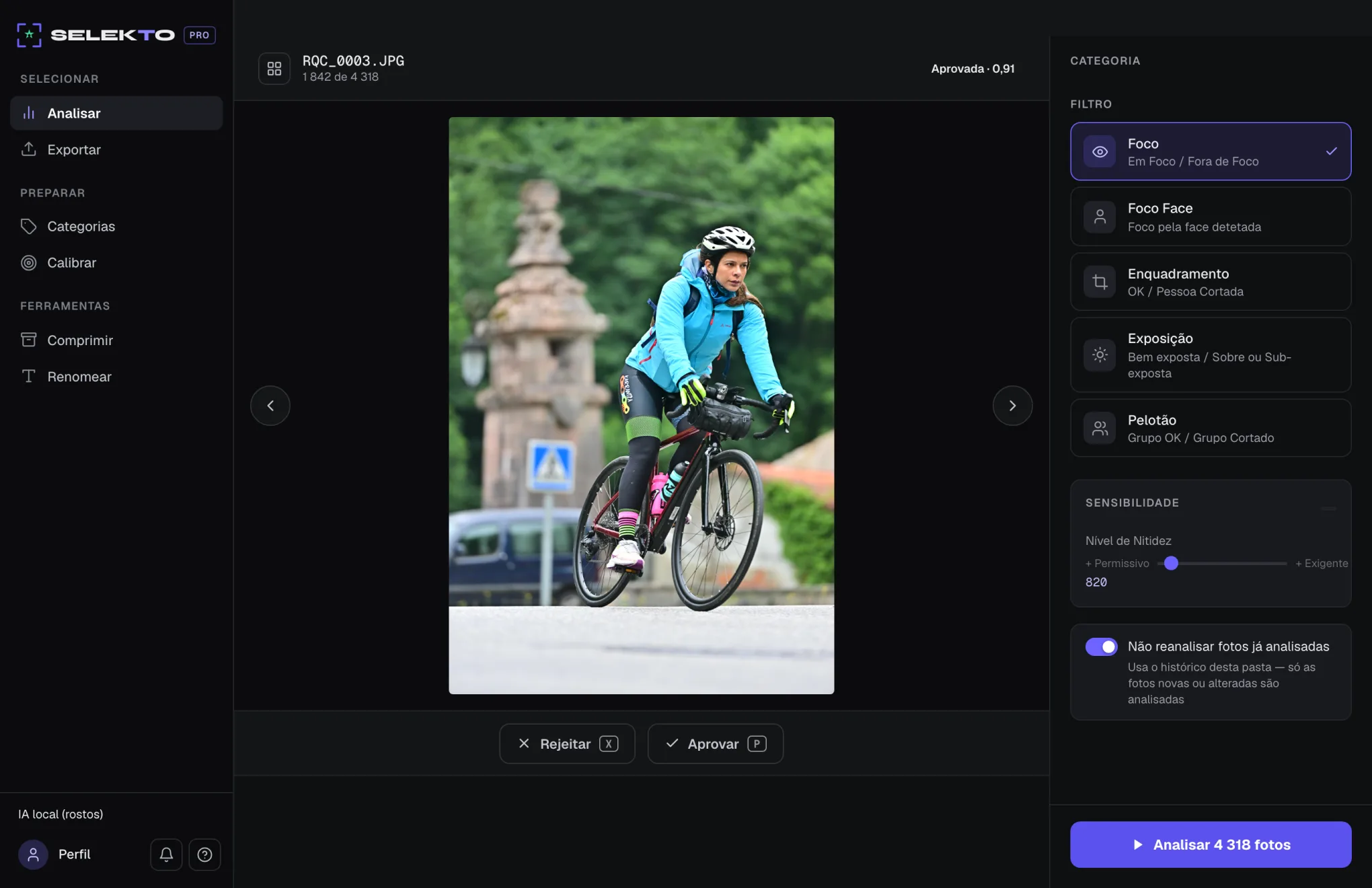
Loupe · P approves · X rejects
Only the best reach the client.
Smart Delivery clears repeated bursts, confirms it is the same athlete through face recognition, and hands over exactly the number of photos you asked for — the sharpest of each group.
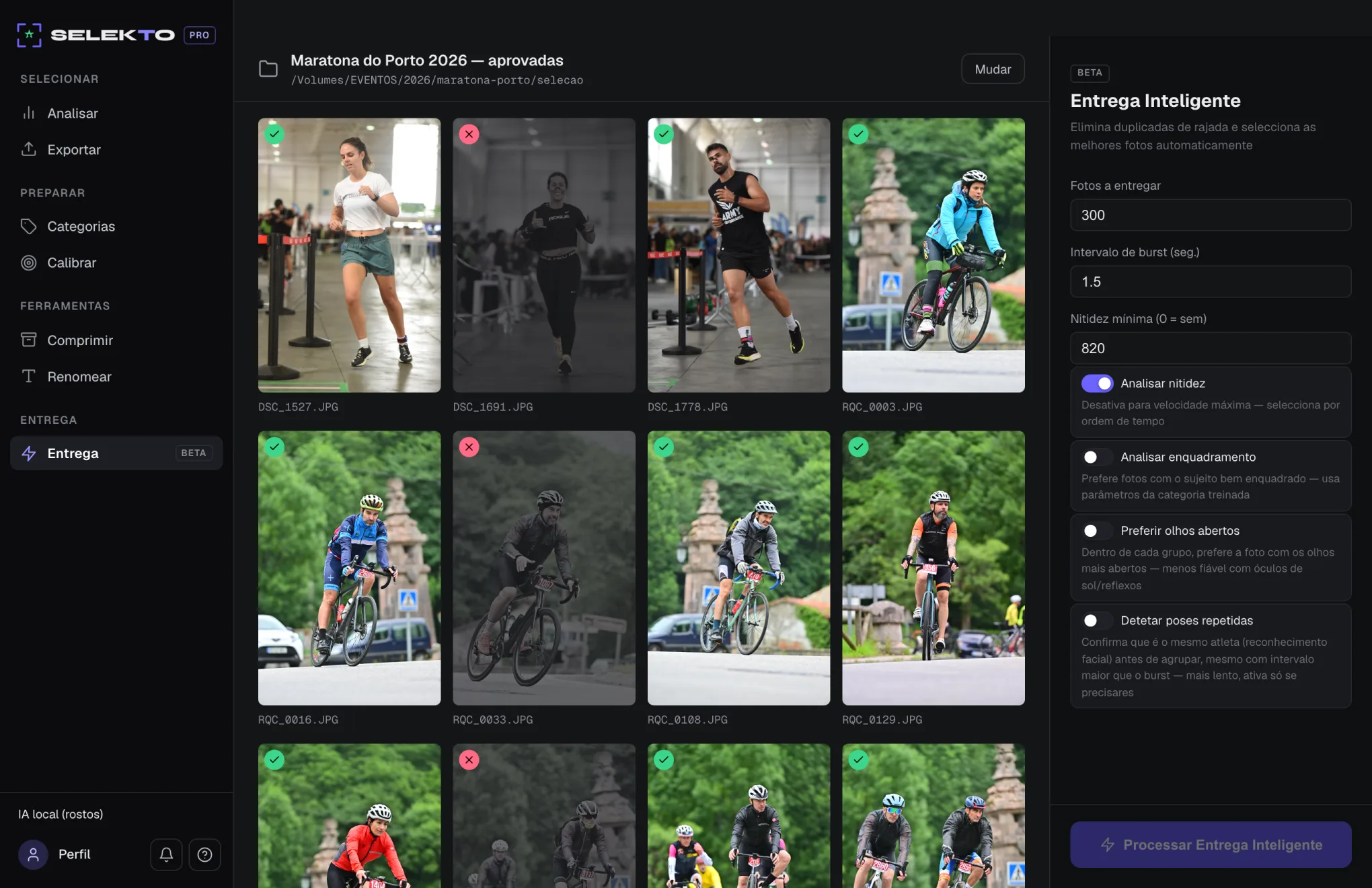
Smart Delivery · duplicates gone
15,000 photos · 9,500 RAW · 5,500 JPG
Per-photo verdict and score, live
Loupe · P approves · X rejects
Smart Delivery · duplicates gone
What's new in 4.1
Framing just got a lot smarter.
4.1 doesn't touch the interface — it touches what decides for you: sharper framing, an automatically suggested crop, and a loupe that now explains every verdict instead of just stamping it.
Smarter framing
Peloton is no longer a separate filter — Framing now looks at bodies and faces together, and can tell the athlete you picked apart from someone who just walked by. "Whole group" became a switch, not another filter.
Automatic crop, without leaving Lightroom
After Framing, the loupe suggests a crop around the athlete — it never cuts them, always keeps the photo's aspect ratio, and never touches the original file. Save a copy, or write straight into the RAW's XMP, ready for Lightroom to read.
Why was this photo rejected?
The loupe now shows the exact zone each filter measured — green if it passed, red if it didn't — instead of just a stamp with no explanation.
Exposure looks at the face
It no longer judges the whole photo: it measures the light where it matters, on the athlete's face, so a bright or dark background no longer sinks a well-exposed athlete.
Never analyzes twice
History now stores the measurement, not just the verdict: change the sensitivity and results recalculate instantly, without reopening a single file. And a photo already rejected stays rejected — it won't quietly reappear.
Full-screen review
The loupe stopped being a window — it now fills the screen, with the whole folder alongside as a strip of thumbnails, so you can review without losing your place.
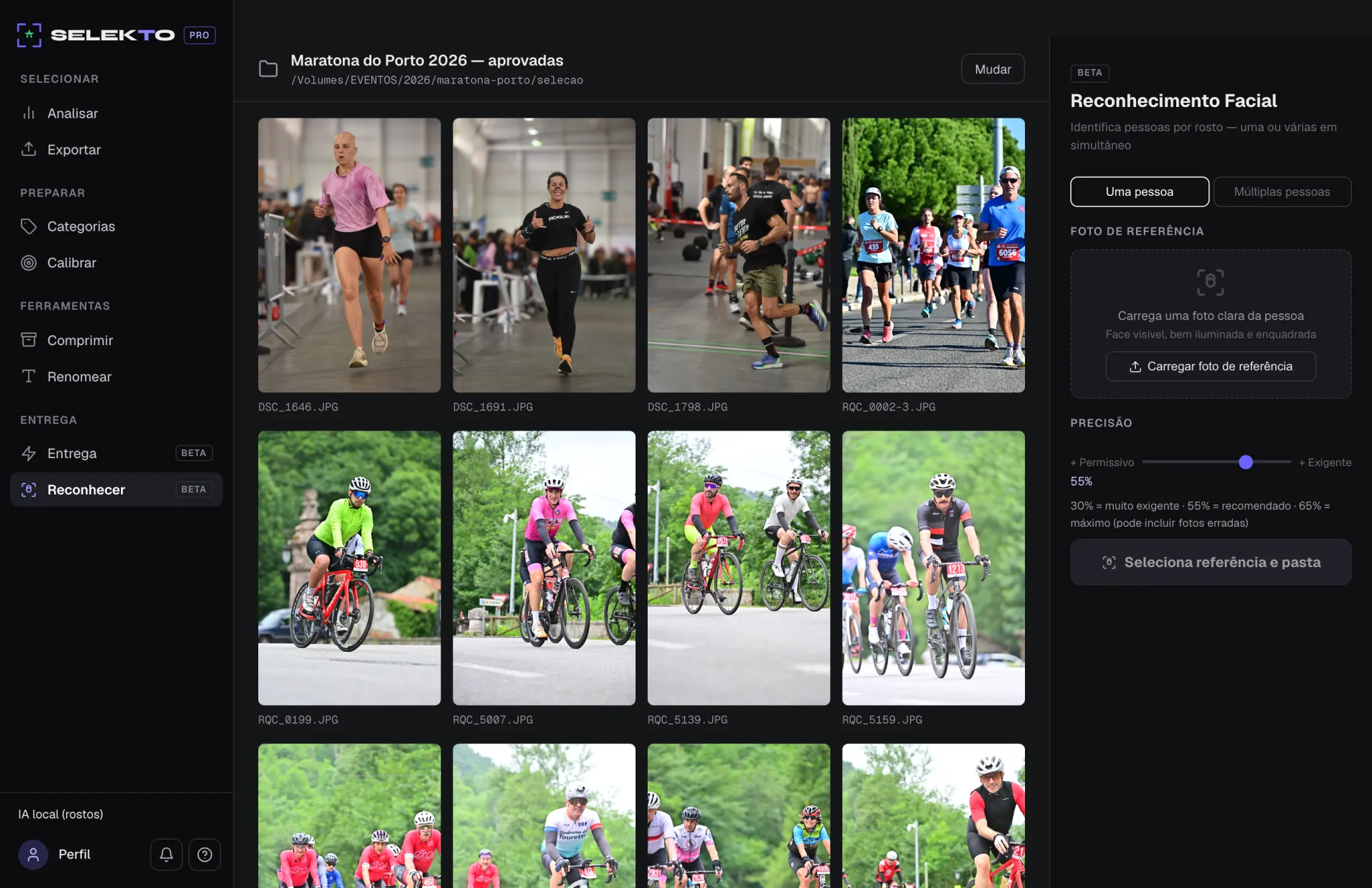
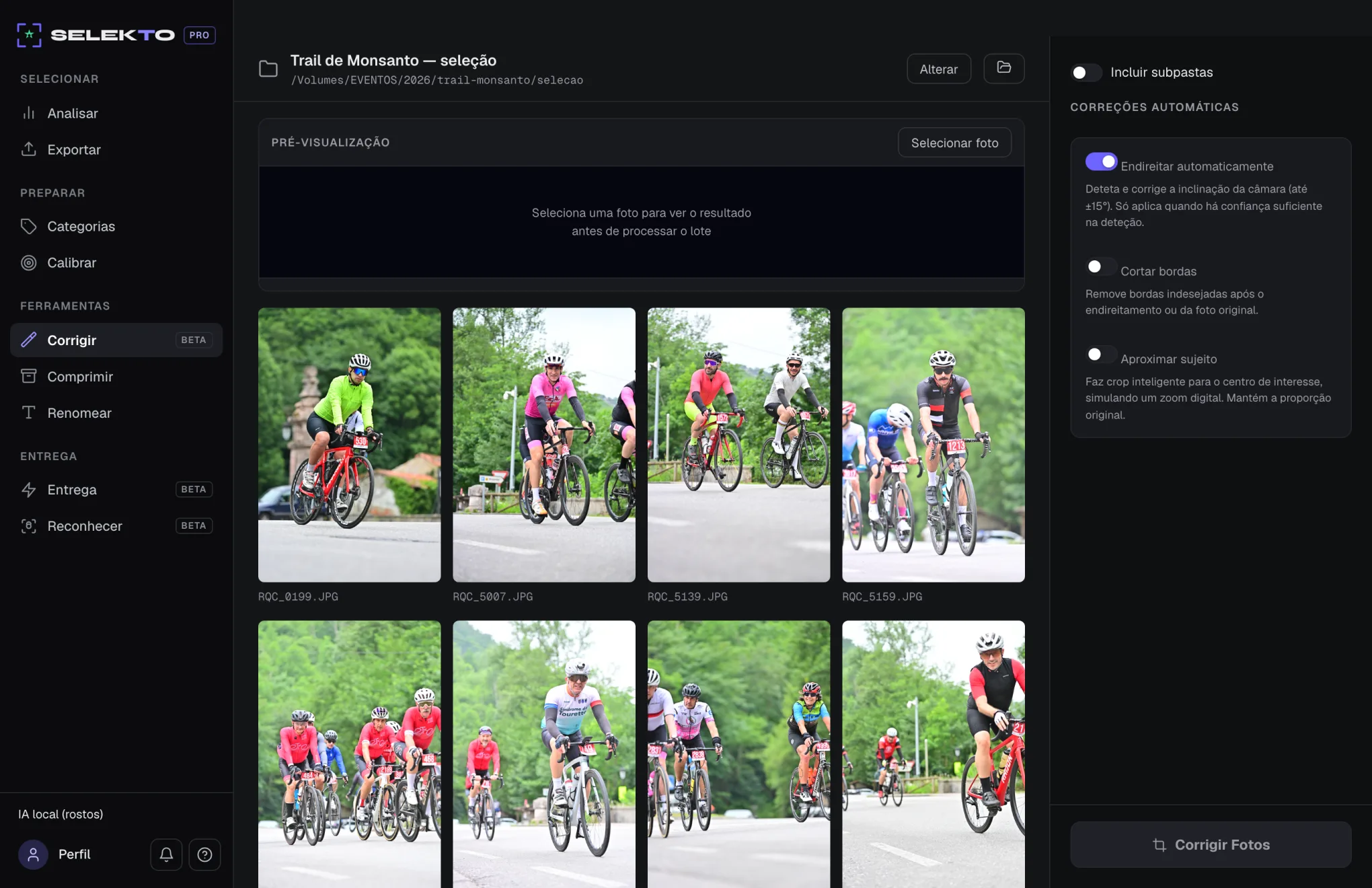
4.1 is in open beta for macOS (Apple Silicon and Intel) and Windows: download it from your account alongside the stable build, which remains the recommended one for production work. At no extra cost, on any plan.
See it in action
2 minutes and you'll get it.
Photography genres
For every photographer.
No matter your genre — if you shoot in volume, Selekto Pro transforms your workflow.
Sports
Running, cycling, football, tennis, swimming — fast delivery at high-volume events.
Weddings
Ceremonies, receptions, portraits — remove blurry shots before editing.
Concerts
Shows, festivals, live events — guaranteed sharp focus in every shot.
Events
Conferences, galas, corporate parties — deliver to clients in record time.
Wildlife
Animals, birds, landscapes — pick the best angles in seconds.
Portrait
Books, fashion, studio — remove out-of-focus shots instantly.
Filters
Smart analysis,
powerful filters.
Each module solves a specific problem. Use only what you need, in the order you prefer.
Focus
Detects blurry photos by analysing variance in the central area. Automatically separates "In Focus" from "Out of Focus".
Laplacian AnalysisFace Focus
Uses AI to locate faces in the image and evaluates focus specifically on that area. Ideal for portraits, weddings and sports with close-ups.
TensorFlow · BlazeFaceFraming
Detects if the subject is cropped by the image edges — alone or in a group. Looks at bodies and faces together and tells the right athlete apart from someone who just walked by.
Person & Group DetectionExposure
Identifies over or under-exposed photos via histogram analysis. Configurable by percentage threshold.
Histogram AnalysisExport to Lightroom
Generates an approved/rejected list compatible with Adobe Lightroom. Integrates with your existing workflow.
Lightroom CompatibleWorkflow
As simple as 1, 2, 3.
Import your session
Open the folder with your photos — JPG, RAW or mixed. Selekto reads everything without converting.
Choose your filters
Select which analysis modules to apply and in what order. Each filter works on the result of the previous one.
Export the keepers
Photos are organised into subfolders or exported as a Lightroom list. Ready to edit.
Testimonials
Photographers who transformed
their workflow.
“I cull a whole wedding in under an hour — work that used to take a full afternoon. Selekto Pro became the first step of my editing workflow.”
Beatriz N.
Wedding Photographer · Coimbra
“Peloton Crop automatically crops every athlete out of a group photo — it saves me hours on races with hundreds of entrants.”
Hugo T.
Sports Photographer · Guimarães
“I pay once and get access to everything, no subscriptions or confusing tiers. Simple, fair, and the app is mine forever.”
Sofia A.
Portrait Photographer · Faro
Test before you buy.
No commitment.
7 days or 15,000 photos — completely free, no credit card.
Download the app
macOS or Windows. Install in under 1 minute.
Enter your email
Receive your trial key instantly by email.
Start culling
7 days or 15,000 photos to try at will.
Trial includes full access to every feature
Pricing
One-time price.
Forever.
No subscription. No monthly fee. Pay once and the app is yours.
Studio
one-time payment
For studios · advanced tools
Frequently asked questions
How does the trial work?
Download the app, open it and enter your email to receive a trial key. Works for 7 days or until you reach 15,000 photos — whichever comes first, with full access to every feature. No credit card, no commitment.
What happens when the trial expires?
The app locks and asks you to activate a paid licence. All your projects and settings are saved for when you activate.
Do my photos go to the cloud?
Never. Selekto Pro analyses everything locally on your computer. Photos never leave your disk — not during analysis, not for licensing.
Does it work without internet?
Yes. You only need internet once to activate your licence. After that, the app works 100% offline forever.
Which RAW formats are supported?
CR2, CR3, ARW, NEF, RAF, DNG, RW2, ORF, PEF, SRF and more. Compatible with Canon, Sony, Nikon, Fujifilm, Olympus, Panasonic and others.
Can I use it on a Mac and a PC?
Each licence is valid for 1 computer. If you need to switch computers, contact support.
What is per-category calibration?
You can train Selekto with real samples from your sessions — the app learns the right thresholds for each event type (sports, weddings, concerts...) and camera.
Save hours on every session.
Join photographers who stopped culling photos manually.